Category Archives: Show Notes

Admin Admin Podcast #035 Show Notes – Always Pack a Spare Pair of Pants

Alister had a issue with a old Dell Server with a disk failing, these are the error Al was getting in the event viewer:

There was an unrecoverable disk media error during the rebuild or recovery operation: Physical Disk 0:1 Controller 0, Connector 0

Sense key: 3 Sense code: 11 Sense qualifier: 0: Physical Disk 0:1

Link to SCSI sense Key Codes

Openmanage is the tool to look at the hardware status of Dell servers, can be installed on Windows, Linux and VMware

Andy ask how to Setup email alert on a NAS if a disk fails

Andy issue with virtual box is fixed updating to latest version and has a question about port forwarding,  Portward.com has some good guide to set-up forwarding (but just avoid the ads on the websites)

Jerry has been getting to grips with his new job and Cloud config AWS

Links about Should I remove exchange onsite after migrating to Office365

Caution: Decommissioning Exchange can have unintended consequences. Before decommissioning your on-premises Exchange organization, we recommend that you contact Microsoft Support

Great email we got from one of our listeners:

Thank you very much for your excellent podcasts.

A few shows ago, I think that Al said something about wanting to improve his writing style. I have not knowingly read any of his writing and I am not sure what the issue is precisely (and I have no expertise in this area). I think that he (like Andy and Jerry too) speaks very clearly and coherently and he is clearly knowledgeable and enthusiastic and so gives his audience a very enjoyable listening experience. My tips for anybody wishing to improve their writing (for what they are worth) are:

  1. Try to regularly read examples of the types of writing you admire and enjoy reading.
  1. Use spell checking software and perhaps also grammar checking software (though that can sometimes be too pedantic, especially if, like me, you were brought up during the time when grammar was hardly taught at school and so you, like me, know little more than what verbs, nouns, adjectives and adverbs are and so cannot really understand the error messages of the grammar checker).
  1. Read a guide to clear writing style. (Try to avoid anything that sounds too pedantic unless you enjoy that.)
  1. Avoid trying to be too clever and instead just write as you would speak to your audience. (Some people try to write using business jargon in an attempt to sound good, but it can often just hinder effective communication.)
  1. Consider using speech-to-text dictation software if you find that it is the process of typing that is causing the issue.
  1. Read back aloud what you have written to see whether it sounds all right. It is often useful to use speech-to-text software to help with this, because it is very easy just to read what we think we have written rather than what we have actually written. For example, in Microsoft Windows, you could try Microsoft Narrator, since it is built in (or download a more fully featured screen reader such as NVDA, which is free and open source software), on an Apple product you can use Voice Over, which is built in, and in GNU/Linux, you can use Orca or Speakup. If you do not like the Default voice, try others.
  1. If you have a friend whose writing style you admire and enjoy, you could ask him or her for feedback on your writing.

I hope that this helps. Thank you again for a great podcast.

Admin Admin Podcast #034 Show Notes – Clustering

We finally got to meet at Oggcamp 2015:

2015 - 1-2

Al Has been having fun with a Windows cluster not starting

Jerry has a new job and been doing the following Stuff:

  • Crash course in AWS
  • Terraform – A way of coding an AWS (or other provider) configuration.
  • Tweaking vim
    Nerd Tree
    Vim plugins
    -Learning keyboard shortcuts(!)
  • Got a Mac! The keys are in different places …

Andy been given a Dell poweredge 6650 and playing with freenas

Jon ‘The Nice Guy’ Spriggs, Oggcamp hero tells us about a dd alternative : dcfldd. Jerry agrees it is indeed an improvment over the standard dd command.

Jerry’s rucksack, in case anyone is interested 🙂

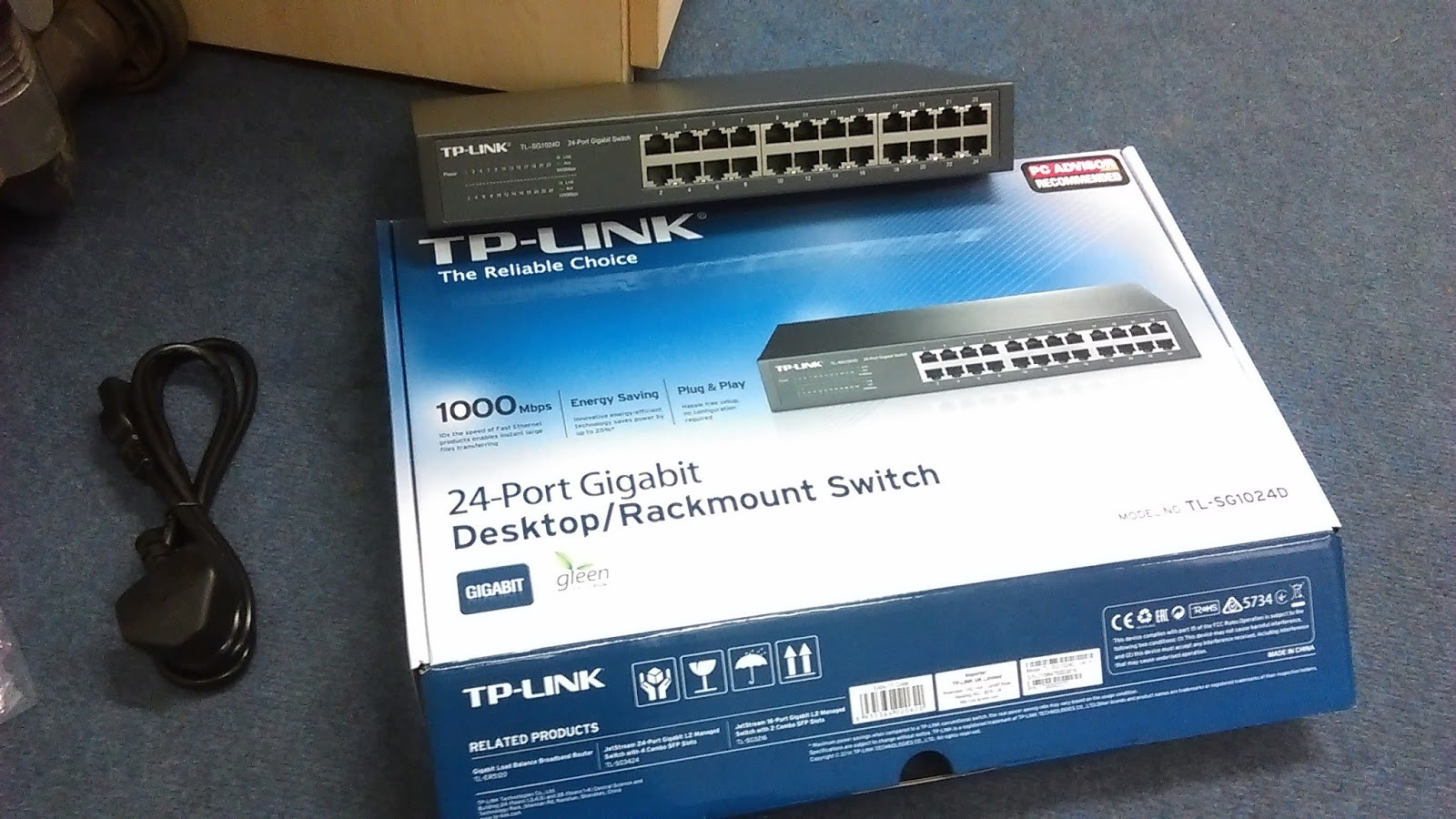
Photos from Andy Latest Job:

swirch1switch22015 - 1 (1)


Admin Admin Podcast #033 Show notes – The Pigeon Pigeon episode

33 is the atomic number of arsenic

Jerry has a new job and been looking at Sensu, a new monitoring system.
Also, a really good talk by Andy Sykes, on Stop using Nagios let it die peacefully – Talk

Al went to UCDay. Exchange 2016 does not support Exchange 2007 in coexisting deployment and Office 2016 does not connect to mailbox hosted on a exchange 2007 server.

Exchange Pro Podcast – The new Podcast about exchange Al has found about.

Andy has been battling with printers again and ask about LPR and SNMP, HPR episode – Turning an old printer into a network printer.

Andy error message he getting in virtual box:

Failed to open a session for the virtual machine
Failed to load VMMR0.r0 (VERR_LDR_MISMATCH_NATIVE).
Result Code:
E_FAIL (0x80004005)
Component:
Console
Interface:
IConsole {8ab7c520-2442-4b66-8d74-4ff1e195d2b6}

The Admin Admin Logo andy was talking about:

admadm

A Listener emails in ask how we recommend getting in the IT industry, Jerry recommends do some freelancing,getting VPS and do some on line training (lynda.com, ITpro.tv and CBT Nuggets). Al recommends picking a topic and researching on Youtube.  Use GSN3 if you want to learn Cisco network,

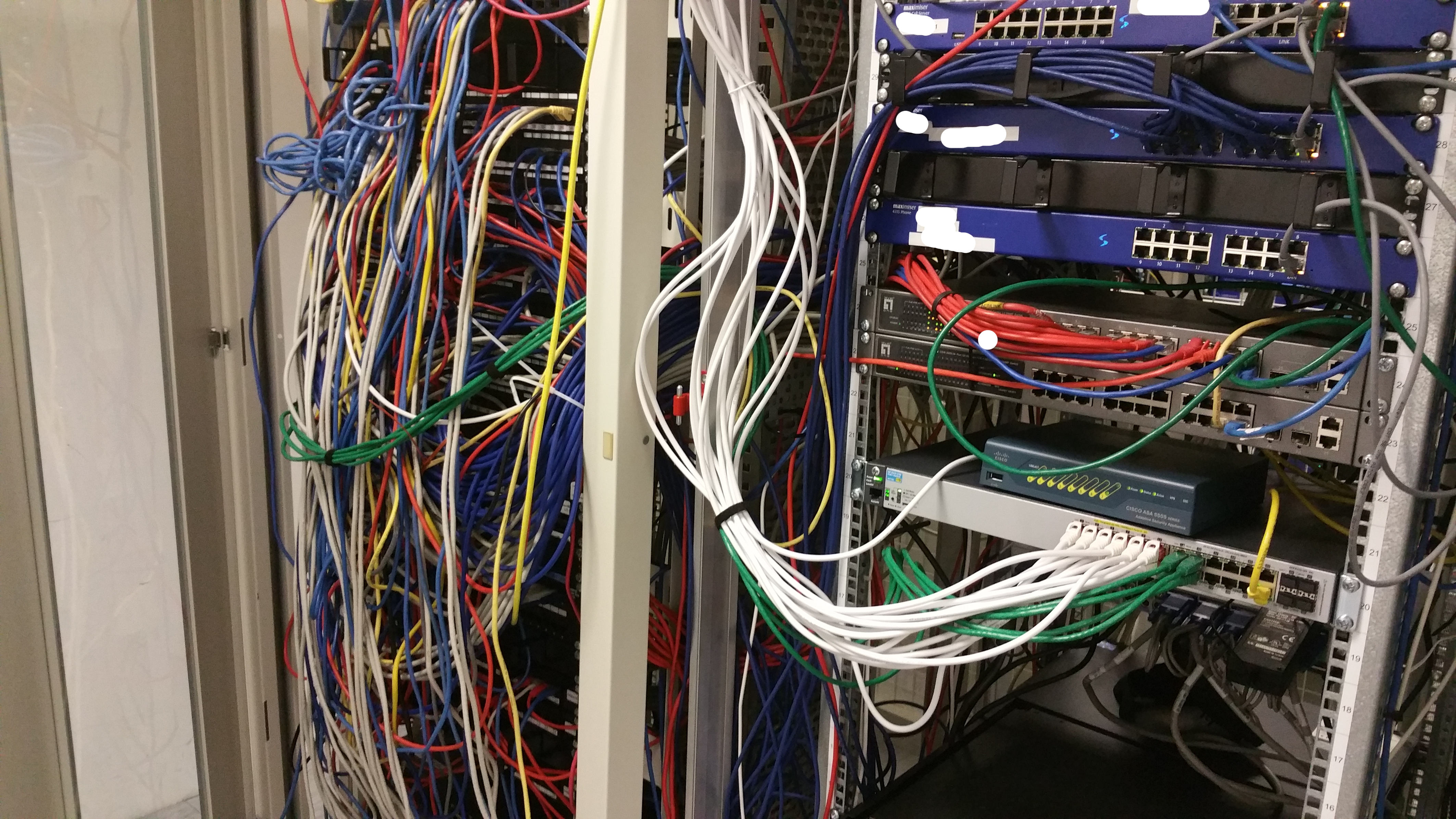
The picture of the shared comms room was working in:

commsroom

How to back IOS image on a cisco router using TFTPD32

Al has issue with expanding datastores in vmware (need find link)

Al ask jerry what Tmux is?

Pigeon Racing

Admin Admin Podcast #032 Show notes – Scheduling IDS

32°F is the Freezing point of water

Al has a new small HP 2530p laptop which has decided on Manjaro as his chosen Linux distro
notepadqq is the linux verison of notepad++ for window.
The Command Al ran to fix his issue with the wifi not be enabled at start up:

"echo "blacklist hp_wmi" > /etc/modprobe.d/hp.conf" 

Andy fixed his issue with WordPress by replacing the broken *.php file. Also: dealing with SSD cloning and the strange case of the PC-breaking desk

    Jerry is:

  • moving into “devops” (whatever that means)
  • Has a new client with 12 servers and no control panels(!) on Linode
  • Dealing with more server backups
  • Looking at gitlab
  • Moving Nagios/Centreon into AWS

Andy ask how he can Scheduling task to do thing automatically.

Al has been playing with IDS and IPS to proctect a customer network against attacks:

Using Exchange Server Features to Prevent ‘Reply All’ Email Storms

Radiolab – Darkode – talks about Cryptowall, Russian hackers and DDoS attacks

Cool Youtube Channels:

Jerry BBC Links:


Admin Admin Podcast #031 Show notes – Episode 11111

Number 31 is a prime number, Atomic number of gallium, Andromeda Galaxy and is 11111 in binary.

Al
Has been having fun with godday and net bios names in UC/SAN certs: https://www.digicert.com/internal-names.htm
Generate csr request in exchange 2007

Andy
Issues with invalided Certs due to wrong time, We discuss NTP in EP #013
NTPD in Linux – Use “ntpd -gc /etc/ntp.conf” to update the clock if the skew is very big.
Printer issues – We discuss if it better set a printer with a static IP address or dynamic

WordPress errors – syntax error  

“Parse error: syntax error, unexpected ‘<‘ in /home/clutec/public_html/wp-includes/taxonomy.php on line 4723″

Jerry

Looking at deploying AWS machines via Ansible

Using Amazon AWS host as WordPress / Hosted database (RDS) in AWS  / S3
EC2 for serving
RDS for database
S3 for storage

Jerry went to a meetup/talk about VPCs – bascially the AWS networking model. Here are the slides

Using IMAPcopy to copy between IMAP mailboxes. Complicated by the fact that the IMAP server uses SSL/TLS, and imapcopy does not support this. Followed this article to use stunnel as a workaround


Removing exchange 2007 get stuck at 100%
Exchange 2016 preview is available 
321 Veeam bakup rule

Regular expressions – mainly day-to-day use with grep
and User Guide

Admin Admin Podcast #030 Show notes – Flashing Like a Christmas Tree

This Week:

Al has been sorting out switches which where set-up in dasiy chain fashion.
Andy has been continuing  setup vlans in the posh shirt shop

Setup Vlans at the posh shirt shop

AP-810 – Is the wireless access point used.
Setup VLANs on Draytek.
Changed the management port the number of Vigor and limit the access the limit the IP address which access it.
Wireless Client MAC Isolate 

Spanning Tree

The Spanning Tree Protocol (STP) is a network protocol that ensures a loop-free topolog.

Trunking in HP E-Series Switches is defined as a trunk is a single logical, higher bandwidth link formed by bundling several links together. Cisco call this an EtherChannel.

Trunking in cisco world is a trunk is a link between two switches carrying traffic
belonging to multiple VLANs.

In HP A-series switch link aggregation is term used to bundling several links together to create higher bandwidth link.

BDU packetsRoot bridge, Root port

Types of Spanning Tree protocols

  • STP
  • RSTP  (Rapid Spanning Tree)
  • MSTP (Multi Spanning Tree)
  • PVSTP (Per-VLAN Spanning Tree)

PRTG Software to monitor Bandwith of a port
ntop – ntop is a network probe that shows network usage in a way similar to what top does for processes


Admin Admin Podcast #029 Show Notes – Office 365 Migration Part 2

Main migrations methods to Office365
-PST Migration
-3rd Party Tools – Code 2 / MigrationWiz
-Cut over Migration
-Staged Migration
-Hybrid

Staged Migration

– Only Supported in exchange 2003,2007
– Requires Dirsync and Public Cert + Autodiscover / Outlook anywhere is working
– You can move mailboxes one at time or in batches, Uses the users onmicrosoft email to send- email between onsite and office365.
– Create batch migrations using CSV, This forward all emails to the user onmicrosoft.com email address.
– Then you need to convert the onsite mailbox to mail enable users.
– User need to reconfigure outlook to use office 365
– When everybody migrated to office 365 update SCP record and MX record.

Hybrid

– You can move mailboxes between office 365 and onsite and back again.
– Outlook does not need to be reconfigured.
– Requires a least one exchange 2013 server, with the mailbox and cas role installed but does not need to host mailbox,
-Requires a SSL cert (need to be configured correctly in exchange) configured in autodiscover / outlook anywhere and SMTP Connector
-Install Dirsync and run Hybrid configuration wizard to configure exchange to speak to office365
-Use mailbox move to move the mailbox to office365.
-You need decide if you are pointing MX records to office365 or the onsite exchange.
Youtube Video on Hybrid Microsoft Exchange Server 2013 Deployment

Admin Admin Podcast #028 Show Notes – VLANing systemd

– 28 is the atomic weight of silicon

Centos 7
First impressions from Al:
– You can now setup local user in the setup
– Can still login as root via SSH
– ifconfig does not seem work any more
-mariadb is now the default rather then mysql

Systemd corner
– systemctl for services
– NIC naming – systemd “predictable interface names
– Units

Oldskool “vi” is difficult

Sudo
– Sudo: You’re Doing it Wrong
Sudo – you’re doing it wrong
– XKCD – Sudo make me a sandwich, the naughty list

Vlans
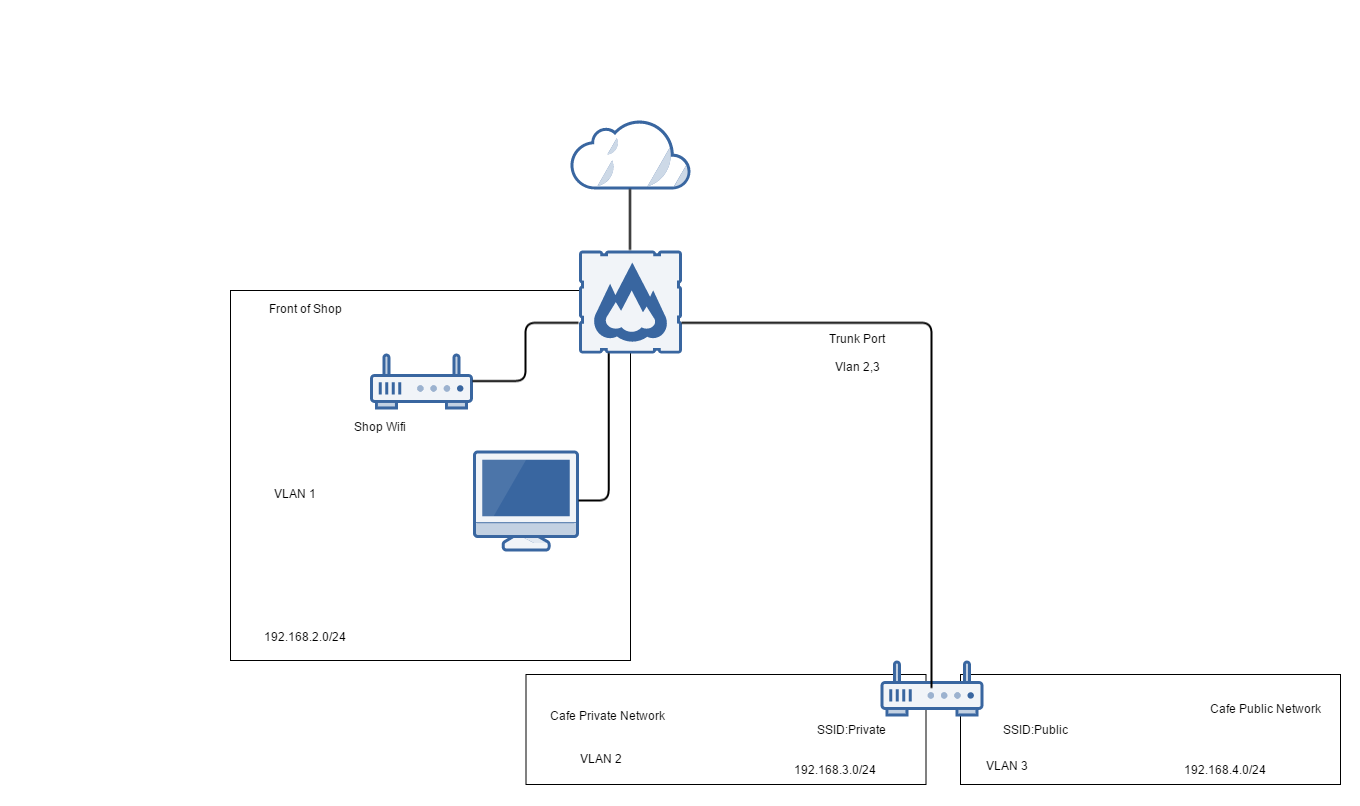
Andy latest jobs involves setting up three separate network using one vigor
Here is the purposed digram Al design using https://www.gliffy.com/

nancie_henry

– Setup Vlans on vigor

Al has been doing some more Exchange Migration stuff
Remove stale public folder in exchange 2007
The order what Autodiscover try to use to configure Outlook

Do we need to put anything in about LIsten Email in the show notes? Link to podcast. Traking projecy-riskp
– The new podcast Al has found about: tubb talk is talking about glue it

Admin Admin Podcast #027 Show Notes – Nmaping it all up

This Episode:

  • Al has beem doing more exchange 2013 stuff
  • Andy has been Testing Windows 10
  • Jerry been moving house and has done a talk on Ansible (Links to the Google slides)

Show Links

Admin Admin Podcast #026 Show Notes – Office 365 Migration Part 1


Al

DDOS Attack with RIP v1 Protocol 

Andy

Office 365 Migration Part 1

Migration methods to Office 365

  • PST
  • staged 
  • cutover
  • hybrid
  • 3rd Party Tools

A brief overview on Cutover Migration

supports exchange 2003/2007/2010/2013

  • Remove old unused mailbox which do not need to imported to exchange
  • create office365 account and setup DNS but do not create any accounts or change mx records
  • set-up outlook anywhere with a public SSL certificate
  • In office 365 select a Cutover Migration to start importing accounts, the mail and accounts get import automatically
  • Once everything has imported successfully redirect MX records to office365
  • Update Autodiscover DNS record
  • Recreate outlook profiles to point to office 365


Admin Admin Podcast #025 Show Notes – Config management & code control

Al

Jerry

Linux Config management & code control

Puppet

  • Needs an agent installed
    • Uses SSL self-signed certs
    • “Declarative state”

Ansible

    • No agent needed
    • Uses SSH
    • Procedural (stepwise)

Version control in this context

  • git
    • branching – develop code in a branch
    • hooks – automatically do things when certain events happen
    • Omnibus package

Oggcamp

The dates have been realised and we will be there. It being held in Liverpool, Oct 30th – Nov 1st 2015!


Admin Admin Podcast #024 Show Notes – Dean from EducationalCentre

This episode we interview Dean from the Educational Centre Blog:

– Deploy a Cisco UCS system – Part 1 – from scratch for VMware ESXi

Logging in to the vCenter Server Appliance as vSphere Client users using the Use Windows session credentials option fails with the error: Cannot get user info 

Backing up a virtual machine with Changed Block Tracking (CBT) enabled fails after upgrading to or installing VMware ESXi 6.0

– Veeam Endpoint protecton Free

– HP-AMS Driver causes ESXi memory leak

– Mailradar Open Relay Checker

– 10base2

– Windows 10 Share your wifi password with friends

– Cracking WPA WPA2 with Kali Linux

– Dean’s Blog